Enterprise integration

Approved hours move through WeFact

Approved hours land in WeFact invoices without exports or separate spreadsheet checks.

Half5 connects WeFact to the daily time process. Approved hours are prepared for invoicing without exports or separate spreadsheet checks.

The setup works with the WeFact security code and IP allowlisting. That keeps the link explicit, manageable and suitable for larger administration teams.
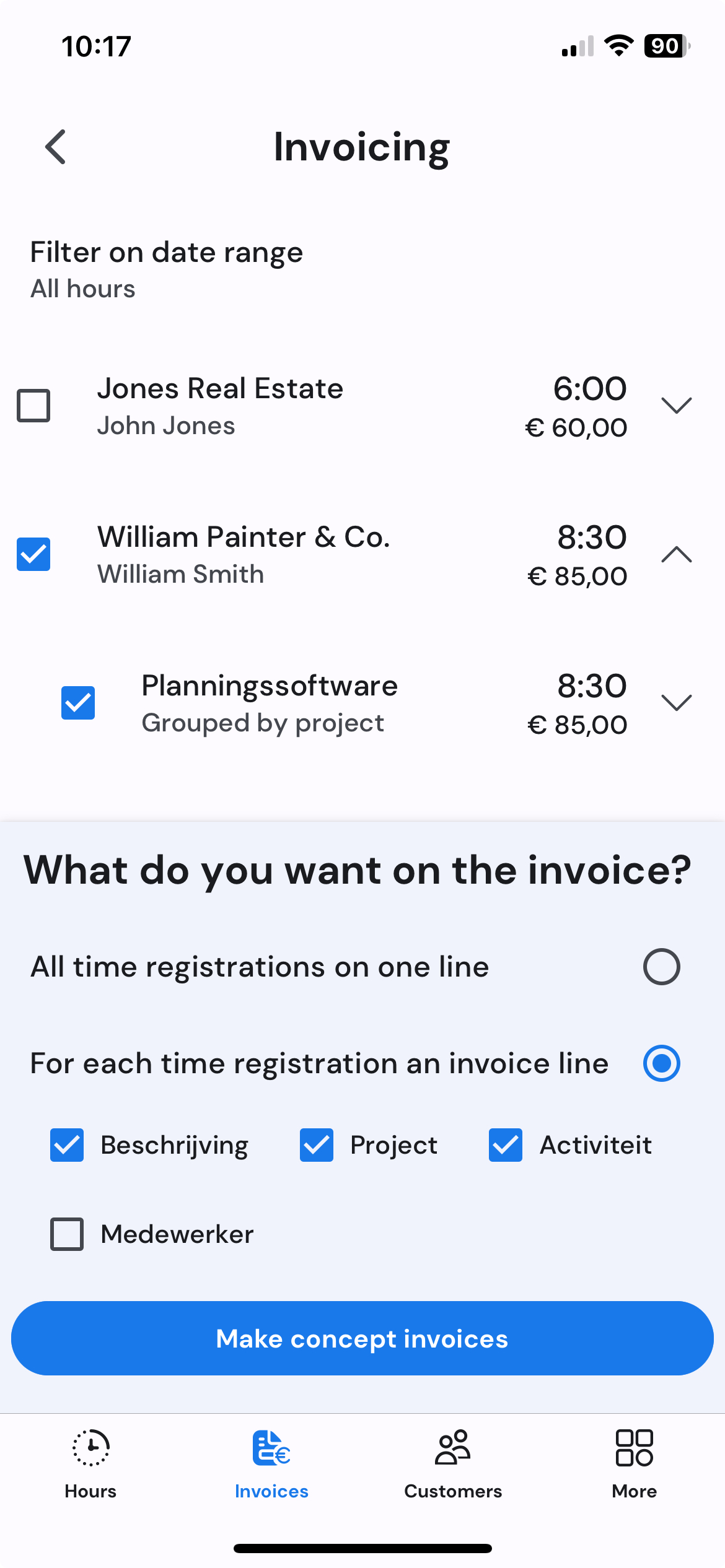
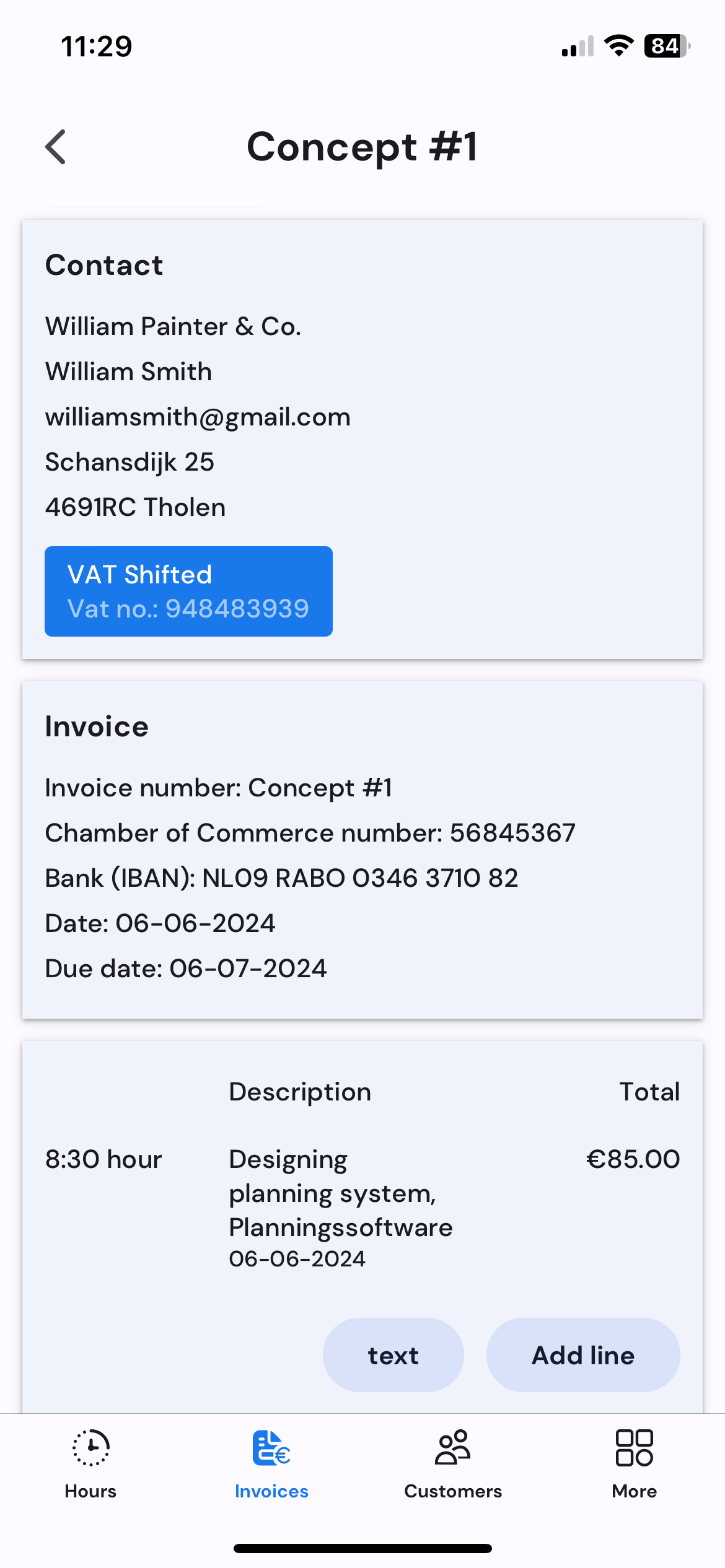
Invoice overview with approved hours on mobile Draft invoice details on mobile
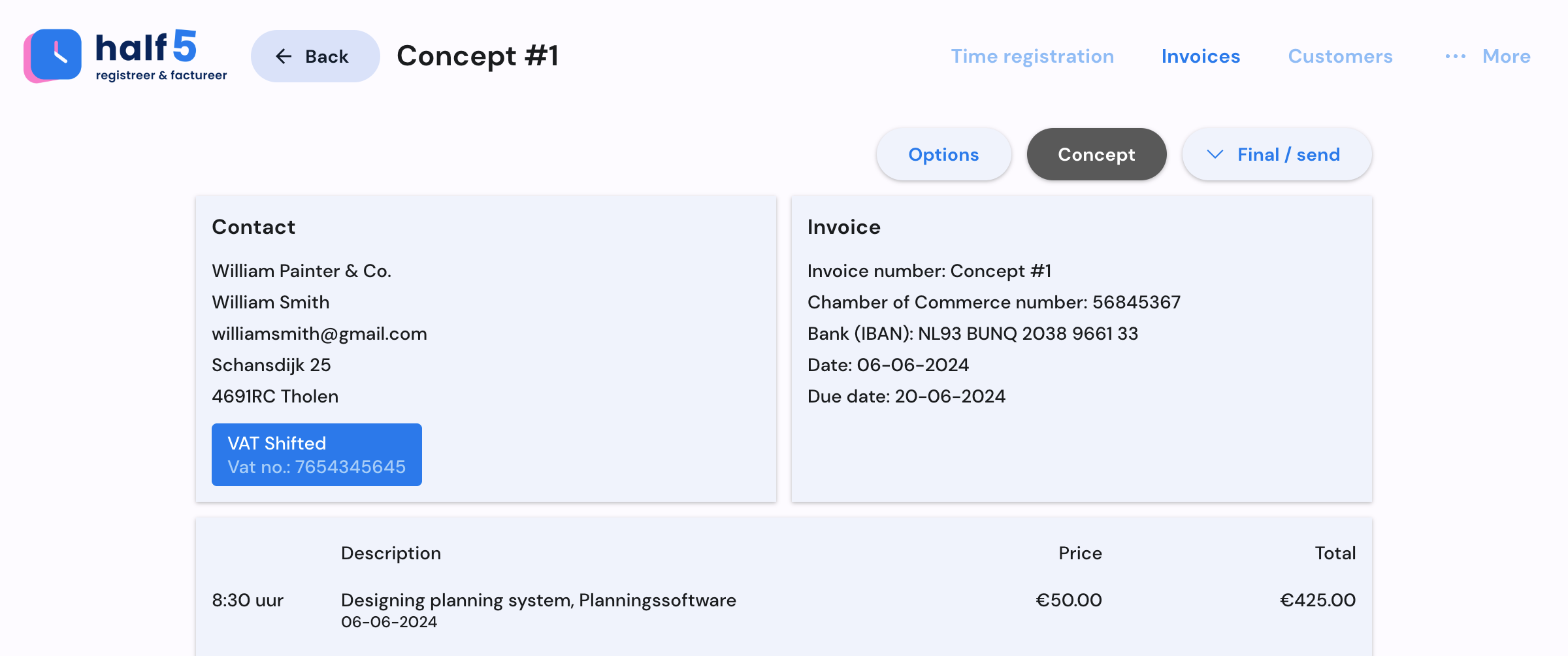
Invoice workflow on desktop
Invoice overview with approved hours on mobile Draft invoice details on mobile
Token + IP explicit setup for the right WeFact administration
Draft + send invoice route stays with administration
Customer sync teams book time on consistent customer data
WeFact invoicing route

WeFact receives hours only after users and team leads have made them invoice-ready.

The link is designed for teams that want speed without giving up the final administration check.

01

The right WeFact environment is connected

Security code and IP allowlisting make ownership clear before invoices can move.

02

Billable work is approved first

Submitted hours keep customer context, approval status and exceptions visible for team leads.

03

Prepared and sent through WeFact

Administration can merge, review and send invoice lines after the work is trusted.

What every role sees

Every role sees why WeFact can be connected safely.

Before the start, it is clear which hours create revenue, what stays personal and which systems may use approved data only.

Users

The raw timeline stays personal; only submitted hours move forward.

Team leads

Exceptions and customer context are visible before invoicing pressure starts.

Finance

Approved hours arrive as data an invoice can rely on.

IT and agents

Systems and agents receive only data the organization is allowed to use.

What WeFact connects

A controlled path from approved team hours to WeFact invoices.

WeFact supports customer synchronization, draft invoices and sending, with setup controls that fit finance teams.

Secure setup

The WeFact security code and IP allowlisting keep the right administration connected to Half5.

Invoices and drafts

Approved hours become invoice lines, drafts and sent invoices through one WeFact route.

Contacts in sync

Customer data stays aligned, so employees book time on the right client and administration avoids correction rounds later.

Finance decides what is sent

Team leads approve hours first. Administration then decides what is invoiced, merged or sent.

In practice

See how approved hours become WeFact invoice work.

Half5 keeps the customer, approval and invoice context together so administration can prepare and send without spreadsheet checks.

Invoice selection from approved hours on mobile
Draft invoice details on mobile
YouTube video thumbnail
Example

Approved hours become WeFact invoices

Bundle billable hours per customer, review the invoice lines and send the result through WeFact. Half5 keeps the operational time context visible.

  • Draft invoices from approved hours
  • WeFact sends when administration is ready
  • Consistent customer data across teams
Invoice overview in Half5
Example

A manageable API-token setup

WeFact onboarding explains the security code and IP allowlisting, so finance knows exactly which environment is connected.

  • Token-based setup for administration teams
  • Clear ownership before sending invoices
  • A reviewed route between systems
Invoice overview in Half5

More routes for approved hours

Accounting packages, CRMs and agents become powerful once they can use the same approved hours.

Live integrations can join the time process immediately. If your system is missing, we first look where approved hours can most quickly create revenue, reduce corrections or speed up invoicing.

If a system is missing, we decide together which team starts, which approved data may move on and when the integration pays for itself.

Discuss an integration